
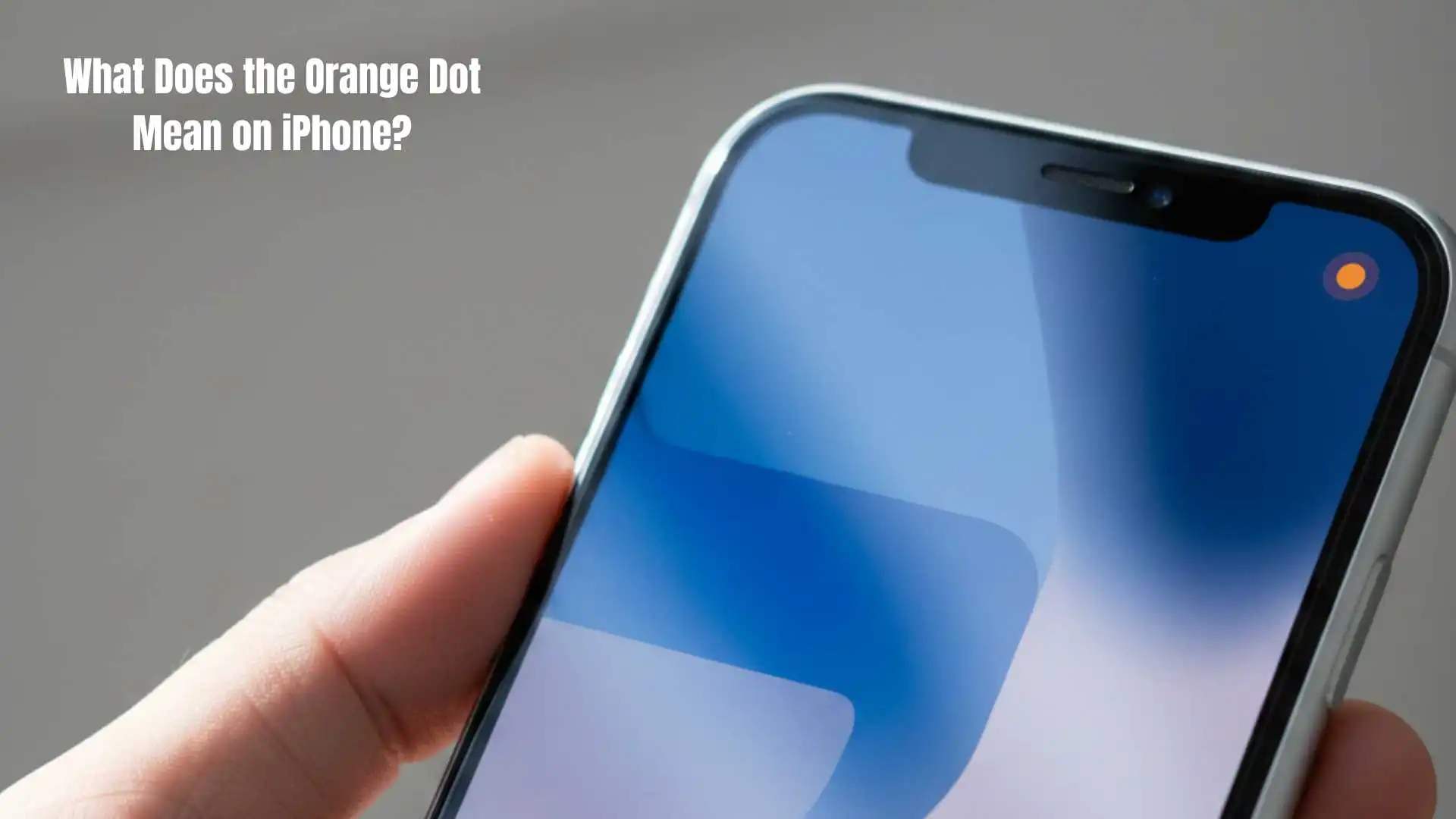
Have you ever been using your iPhone and noticed a tiny orange dot blinking at the top of your screen?
At first, it might feel like your phone is trying to send you a secret message—or even that something is wrong.
I remember the first time I saw it, I panicked a little, wondering if my iPhone was broken or if some app was spying on me. Turns out, it’s not alarming at all.
That small orange dot is actually one of Apple’s privacy features, designed to keep you informed about when your device’s microphone is being used.
It’s subtle, useful, and now that you know, it’s impossible to ignore.
Quick Answer: The orange dot on iPhone means your microphone is currently in use. It’s a friendly, privacy-focused alert letting you know an app is actively listening.
What Does the Orange Dot Mean in Text?
On iPhone, the orange dot is part of Apple’s privacy indicators introduced in iOS 14. Essentially, when you see this dot, it’s your device telling you: “Hey, your microphone is being used right now!” This could happen when you’re recording a voice memo, making a call, using voice commands, or even when an app secretly tries to access your mic.
Example:
You’re on WhatsApp recording a voice message, and suddenly, an orange dot appears. That’s your iPhone confirming the mic is active.
In short:
Orange Dot = Microphone Active = Your iPhone is alerting you that an app is using the mic.
Where Is the Orange Dot Commonly Used?
The orange dot appears primarily on iPhones running iOS 14 or later. It’s most noticeable in:
- 📱 FaceTime & Phone Calls – When talking to someone.
- 🎙️ Voice Memos & Siri – Anytime you record or give voice commands.
- 💬 Messaging Apps – Like WhatsApp, Telegram, or Signal when using audio features.
- 🎥 Social Media Apps – Such as Instagram or TikTok when creating videos with sound.
Tone: This alert is casual and informative, meant for social-media–friendly and personal use. It’s not meant to interrupt your experience, but to keep your privacy in check.
Examples of the Orange Dot in Conversation
While the orange dot itself isn’t a slang word, people often text about it when confused or curious. Here are some realistic chat examples:
Example 1:
A: why is there an orange dot on my screen? 😳
B: it means your mic is on, nothing to worry about
Example 2:
A: saw an orange dot while on facetime 🤔
B: yep that’s just your phone letting you know the mic’s active
Example 3:
A: my phone has a random orange dot lol
B: it’s Apple’s privacy thing, mic in use basically
Example 4:
A: orange dot keeps appearing 😅
B: probably an app using your microphone in the background
Example 5:
A: is the orange dot bad?
B: nah, just your iPhone keeping you safe
Example 6:
A: saw orange dot on TikTok 😬
B: that’s normal, TikTok is accessing mic while recording
When to Use and When Not to Use the Orange Dot
Even though it’s not a slang term, you can still talk about or reference the orange dot in different situations. Here’s when it’s appropriate:
✅ When to Use / Mention:
- Explaining privacy features to friends
- Alerting someone the mic is on
- Discussing iPhone tips and tricks
- Casual conversations about iOS updates
❌ When Not to Use / Mention:
- Formal work emails
- Professional presentations
- Serious privacy breach reports
- Urgent technical support calls
Comparison Table:
| Context | Example Phrase | Why It Works |
|---|---|---|
| Friend Chat | “No worries, that orange dot 😄” | Casual & friendly |
| Work Chat | “Reminder: iPhone mic indicator on” | Polite & informative |
| “Please note that iPhone displays an orange dot when the microphone is active.” | Formal & clear |
Similar Slang Words or Alternatives
Here’s a quick table with related iPhone and app privacy alerts:
| Slang / Indicator | Meaning | When to Use |
|---|---|---|
| 🟢 Green Dot | Camera in use | When recording video or taking photos |
| Mic Icon | Microphone access | Apps using audio input |
| Screen Recording | Screen is being recorded | Recording demos or tutorials |
| Privacy Alerts | iOS notifications for mic/cam access | Discussing iOS privacy tips |
| Control Center | Quick access to privacy features | Checking which apps use mic/cam |
FAQs About the Orange Dot
Q1: Does the orange dot mean my phone is hacked?
No. The orange dot is a built-in privacy feature. It’s Apple’s way of letting you know the microphone is active, not a hack.
Q2: Can I turn off the orange dot?
No. It cannot be disabled as it’s a security feature. But you can manage which apps have microphone access in Settings.
Q3: Why does the orange dot sometimes appear randomly?
Some apps run background audio or voice features, causing the dot to show. Always check which app is using it via Control Center.
Q4: Is the orange dot the same as the green dot?
No. The green dot indicates camera use, while the orange dot indicates microphone use.
Q5: Can apps see if I notice the orange dot?
No. The dot only alerts you, it doesn’t notify apps whether you’ve seen it or not.
The orange dot on iPhone is a simple but powerful privacy feature. It keeps you informed about microphone usage and helps you control which apps can listen. Once you understand it, there’s no reason to panic—it’s just your iPhone looking out for you. Next time you see it, you can confidently know an app is using your microphone and decide if that’s okay or if you need to adjust your settings.

James Parker is a passionate and insightful American author known for his unique ability to connect complex ideas with everyday experiences. With a background in creative writing and over a decade of experience in the literary world, James has dedicated his career to inspiring readers through thoughtful storytelling and practical wisdom.
His writing style is modern, engaging, and deeply reflective, often focusing on personal growth, human relationships, and the subtle beauty of life’s challenges. James Parker’s work is highly respected for its authenticity and relevance, making him a favorite among readers seeking both knowledge and emotional connection.
Over the years, James has authored several impactful books, including “The Path Within”, “Finding Clarity”, and “Bridges of Thought”, which continue to resonate with audiences around the world.